Automate the busywork at every stage.
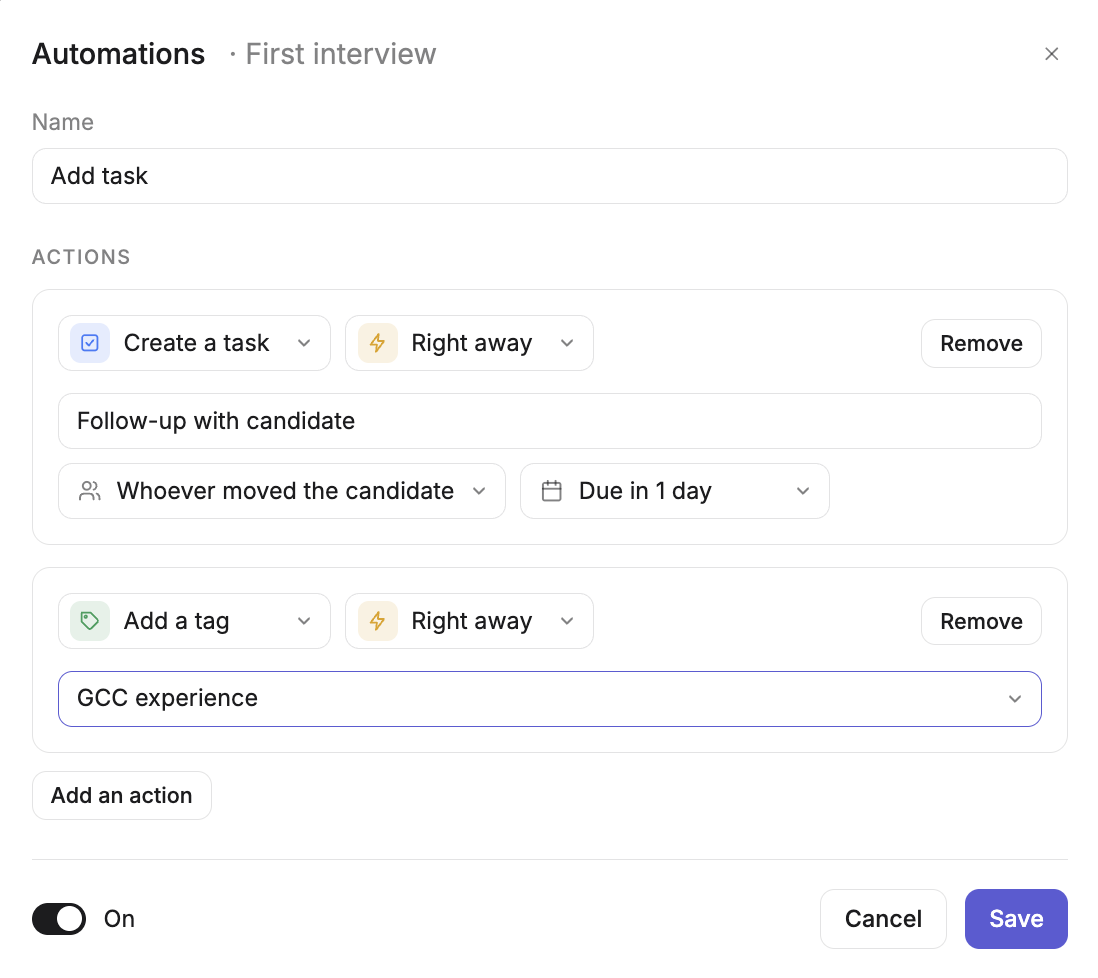
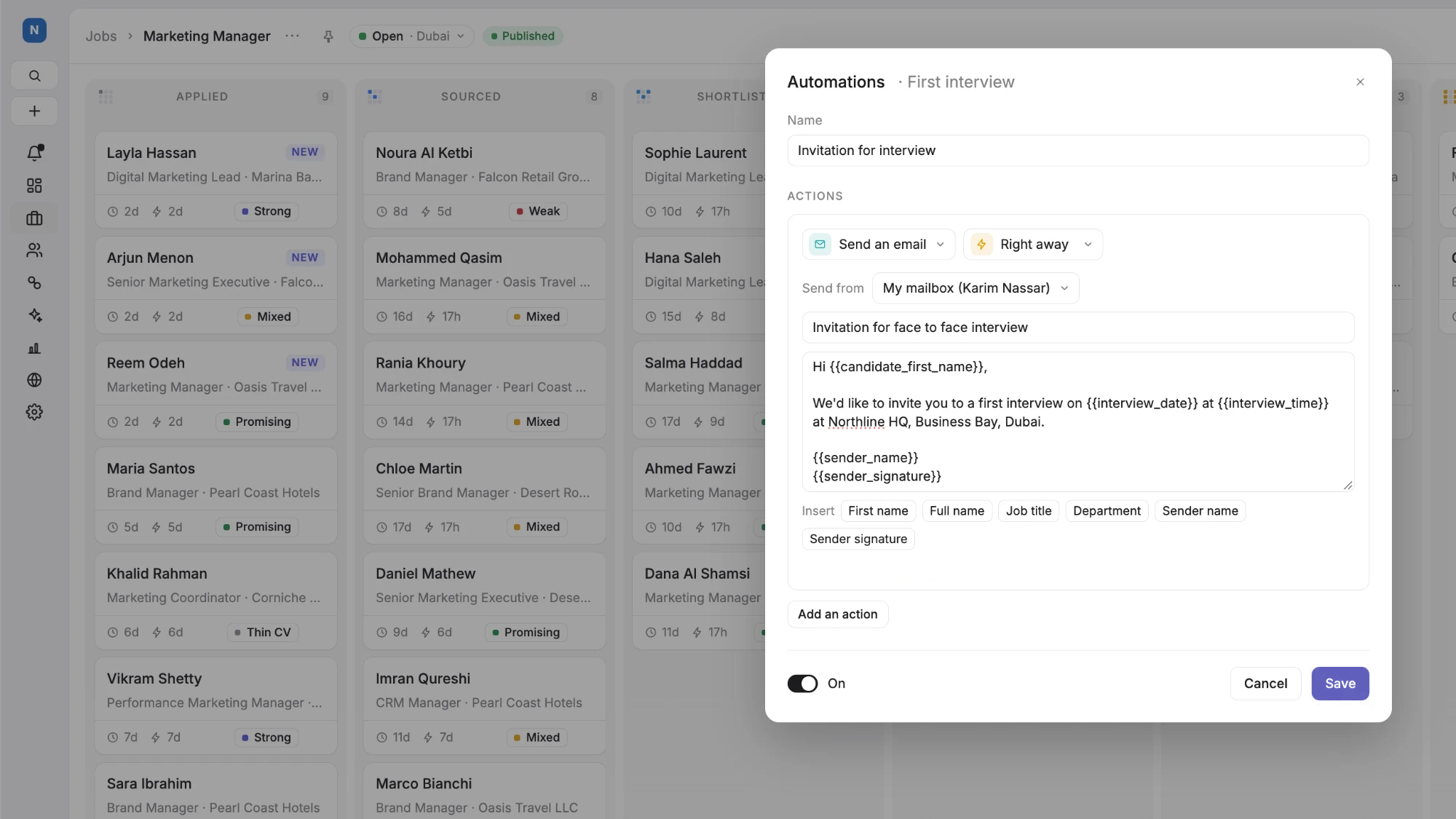
Choose what happens when a candidate enters a stage, from creating a follow-up task to adding a tag or a note, right away or later.
- Tasks, tags and notes
- Right away or on a delay
- Switch on or off at any time
Automations — First interviewPrototype UI · fictional data: An automation for the First interview stage.
Less admin. More hiring.
- A consistent process
- Every candidate gets the same steps at each stage.
- Fewer missed follow-ups
- Tasks are created the moment a candidate moves.
- A clear history
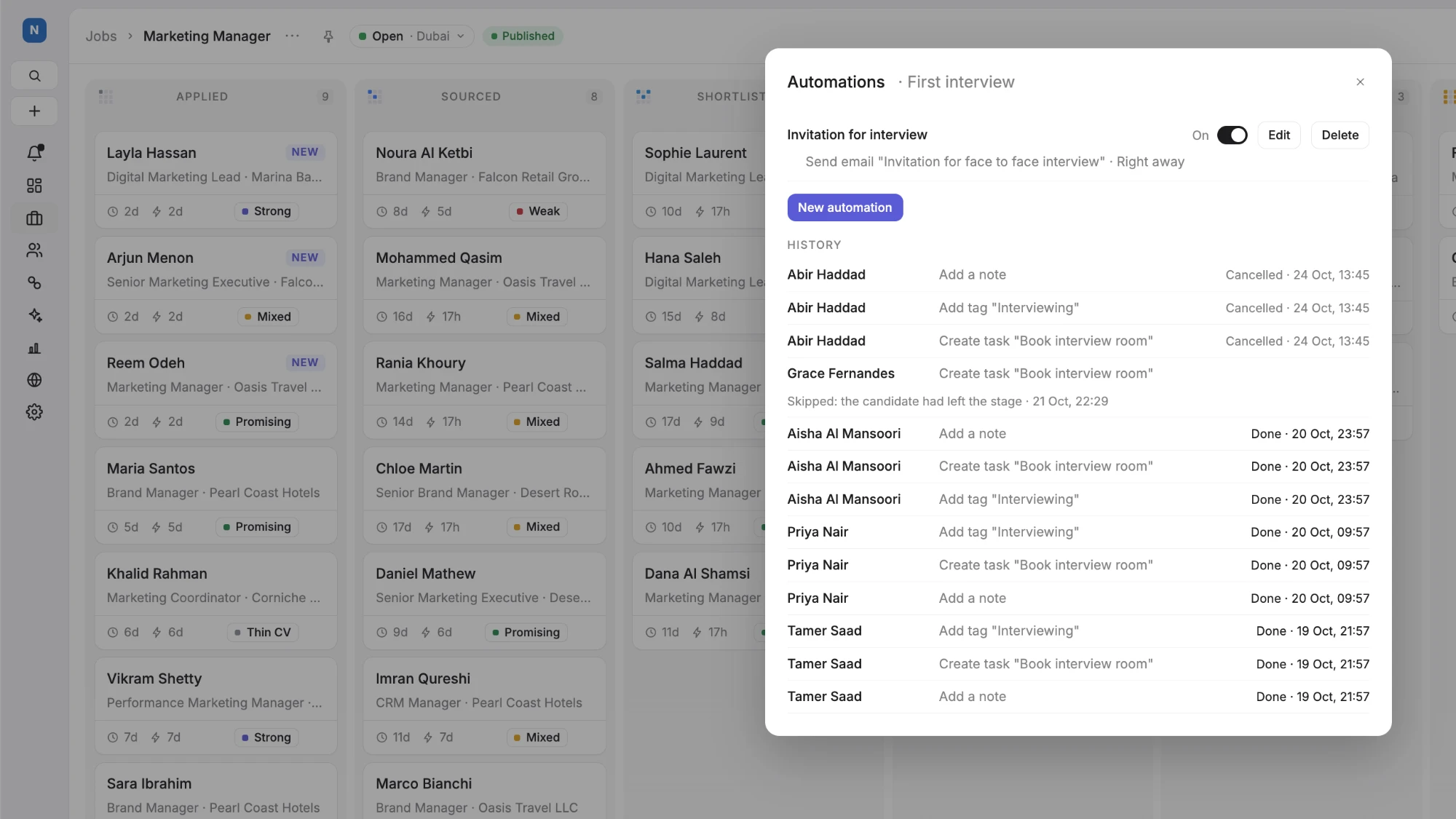
- See what ran, when and for which candidate.
Set it up once. Let it run.
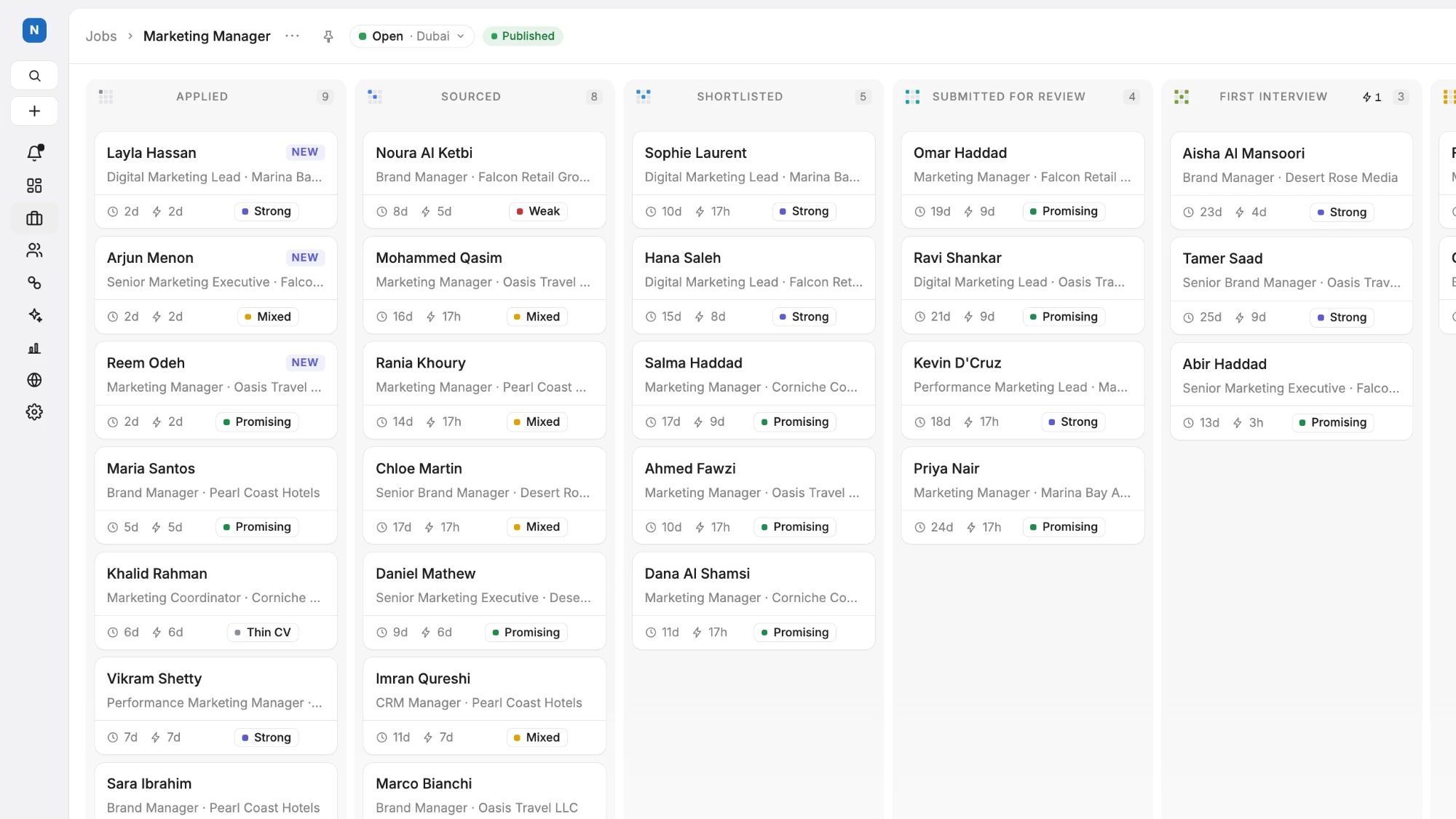
Choose a stage: Illustrative pipeline stages with the automation icon on First interview.
Product Designer · PipelinePrototype UI · fictional data: Illustrative pipeline stages with the automation icon on First interview.
Automation with control.
Configurable actions
Create a task, add or remove a tag, or add a note.
Flexible timing
Right away, or an hour, a day, two days or a week later.
Easy management
Switch an automation on or off and see its history.
Connected workflows
Set automations on a pipeline template for every new job.